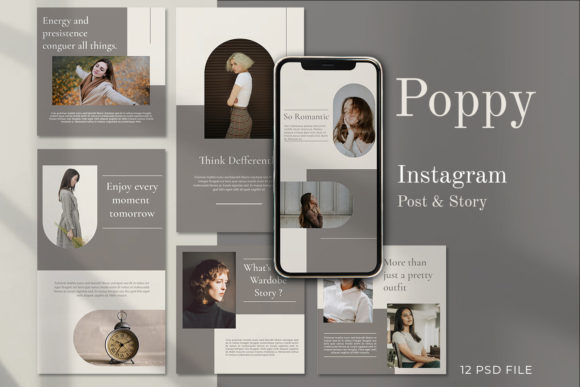
POPPY - Instagram Stories Post: A Template Evaluation
In the current landscape of digital marketing, visual consistency is a critical factor in building brand recognition and audience trust. For businesses and content creators managing social media presence, the demand for high-quality graphics often outpaces the time available for custom design. This is where template solutions like POPPY - Instagram Stories Post enter the conversation. This product offers a set of social media post templates featuring 12 distinct variants, designed specifically for promotional business posts on Instagram and other platforms. Understanding the specific capabilities, technical requirements, and strategic fit of this tool is essential for determining whether it aligns with your operational goals.
Understanding the Product Structure
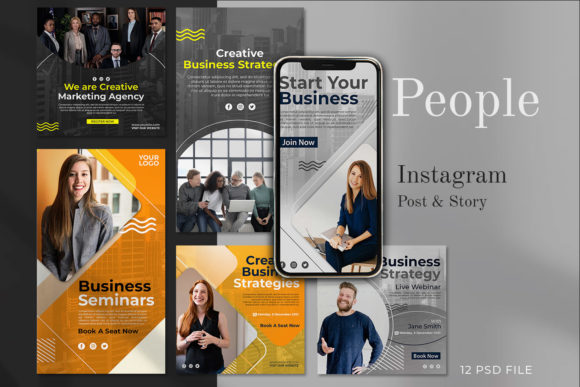
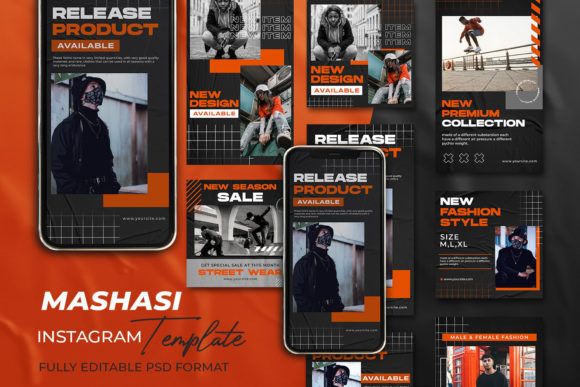
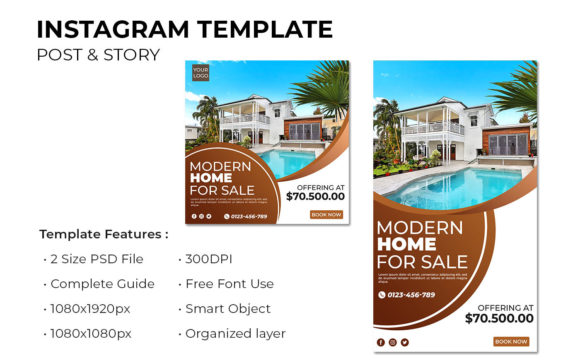
The core offering of the POPPY template pack is its versatility across different social media formats. The package includes 12 PSD (Photoshop Document) files, providing a range of layouts that allow users to maintain a cohesive aesthetic while varying their content delivery. Technically, the files are built to professional standards, featuring a resolution of 300 DPI and utilizing the RGB color mode, which is optimal for screen display. The dimensions provided cover both square posts (1080 x 1080 px) and standard story or banner formats (1920 x 1080 px), ensuring compatibility with major platform requirements.
A defining characteristic of this template set is its organization. The layers within the PSD files are meticulously organized and labeled. This structural integrity is not merely a cosmetic feature; it significantly impacts workflow efficiency. When dealing with complex designs, the ability to quickly locate specific elements—such as text boxes, background shapes, or image placeholders—reduces the time spent navigating the software interface. For users who need to produce content rapidly, this level of organization minimizes friction between the concept and the final export.
The Smart Object Workflow
One of the most practical features for non-designers or those seeking speed is the integration of Smart Objects. In the context of the POPPY templates, this functionality simplifies the process of inserting custom photography or graphics. Rather than manually masking images or adjusting layer styles to match the design, the user can utilize the Smart Object workflow. The process involves double-clicking the designated "image layer" icon, placing the desired image into the new window, saving the file (CTRL + S), and observing the update in the main composition.
This method ensures that the original design integrity remains intact. Scaling, rotating, or replacing images does not degrade the quality or disrupt the surrounding design elements. For businesses that rely on product photography or lifestyle imagery to drive engagement, this feature allows for rapid iteration. A marketer can test multiple images within the same layout in a matter of minutes to see which visual performs better, a capability that is often lost in rigid, non-editable design tools.
Evaluating the Benefits and Tradeoffs
When considering the adoption of the POPPY template set, it is important to weigh the benefits against the inherent tradeoffs of using pre-made designs. The primary benefit is efficiency. Creating a professional-grade social media campaign from scratch requires significant time investment in layout, typography selection, and color theory. These templates provide a finished foundation, allowing the user to focus solely on the message and the imagery. The result is a polished look that suggests a higher level of professionalism than what might be achieved through basic drag-and-drop editors without design experience.
However, there are constraints to consider. The most significant requirement is the necessity of Adobe Photoshop. Unlike web-based design platforms that run in a browser, these PSD files require installed software and a degree of familiarity with the interface. While the layers are labeled and the process is streamlined, a complete novice may still face a learning curve regarding basic Photoshop functions such as exporting for web, managing color profiles, or handling text formatting. If a team lacks access to Photoshop or the skills to navigate it, the utility of these files diminishes considerably.
Furthermore, while the templates are fully editable, they do represent a fixed design language. The "POPPY" aesthetic is established by the creator. Users must evaluate whether the existing style aligns with their brand guidelines. While colors and fonts can be changed, the fundamental composition and hierarchy of each variant are predetermined. For brands requiring highly unique or unconventional layouts, a custom design approach might be more appropriate than adapting a template.
Ideal Use Cases and Strategic Fit
The POPPY - Instagram Stories Post templates are particularly well-suited for small to medium-sized businesses, freelancers, and marketing agencies that manage multiple client accounts. In scenarios where content volume is high and turnaround times are short, the ability to swap images and edit text quickly provides a competitive advantage. They are also an excellent resource for individuals who possess basic Photoshop skills but lack advanced graphic design training. These users can leverage the professional structure of the templates to elevate their output without needing to understand the underlying design principles.
Situations where this tool serves as a strong fit include product launches, seasonal promotions, and educational carousels where consistency is key. The 12 variants offer enough diversity to prevent the feed from looking repetitive while maintaining a unified brand identity. For example, a retail business could use one variant for product close-ups, another for testimonial quotes, and a third for announcement banners, all while retaining a cohesive visual thread.
Decision-Making Insights
Before selecting this template pack, potential users should conduct a brief audit of their current workflow and technical resources. If the objective is to enhance the visual quality of an Instagram account with minimal effort and the team already utilizes Adobe Photoshop, this product offers a high return on investment. The inclusion of well-organized layers and Smart Objects suggests a focus on usability, reducing the likelihood of errors during the editing process.
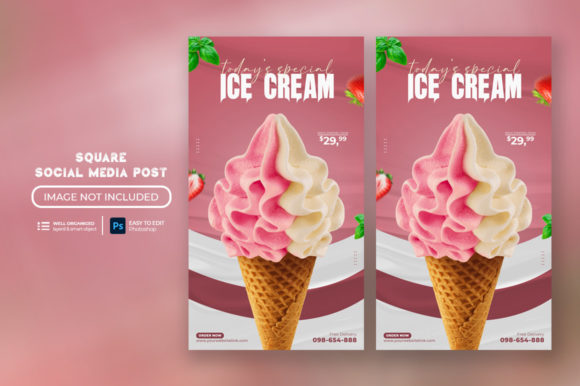
Conversely, if the organization relies exclusively on cloud-based design tools or if the brand strategy demands completely bespoke illustrations and layouts that deviate significantly from standard grid systems, alternative solutions may be worth exploring. It is also crucial to note that the preview images used to showcase the templates are not included in the download. Users must be prepared to source their own high-quality photography to realize the full potential of the design.
Ultimately, the value of the POPPY template set lies in its balance of aesthetic appeal and functional flexibility. It bridges the gap between amateur content creation and professional design, provided the user has the necessary software environment. By understanding the technical specifications and the workflow advantages, buyers can make an informed decision on whether this tool will effectively support their social media objectives.