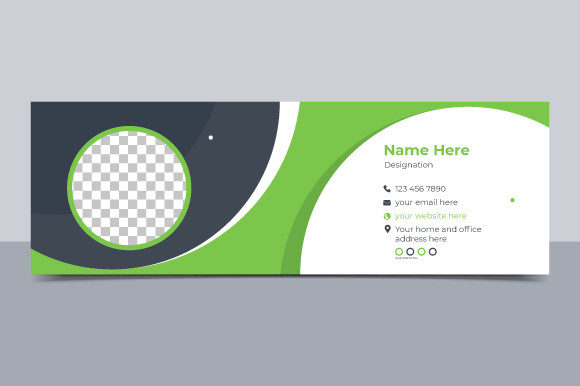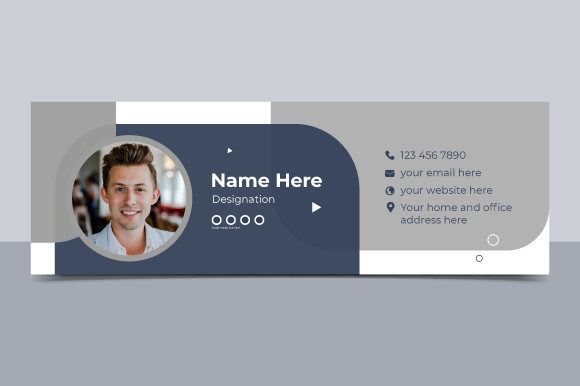
Professional Email Signature Template Design
Your email signature is often the last thing a recipient sees before closing a message, yet it frequently receives the least amount of attention. In a digital landscape where first impressions are formed in milliseconds, treating your sign-off as an afterthought is a missed opportunity for branding and connection. A well-crafted Email Signature Template transforms this small real estate into a powerful tool for communication, marketing, and professional identity. Whether you are a freelancer pitching to a new client, a marketer driving traffic to social channels, or an educator sharing resources, the design of your footer matters.
The concept behind a dedicated template goes beyond simply typing your name and title. It involves creating a structured, visually appealing block of information that remains consistent across every correspondence. When you utilize a high-quality design file, such as one provided in an organized Illustrator AI format, you gain control over every pixel. This level of precision ensures that your contact details, logo, and call-to-action buttons render clearly on various devices and email clients. The availability of fully editable layers allows you to adapt the design to fit your specific brand guidelines without needing to start from scratch.
Elevating Brand Consistency Through Design
Consistency is the cornerstone of strong branding. When a client receives an email from you, the visual elements should immediately reinforce who you are and what you stand for. Using a generic text-only signature can make your communication feel impersonal or unfinished. In contrast, a custom email signature template integrates your logo, brand colors, and typography into a cohesive unit. This subtle reinforcement helps build trust and recognition over time.
Consider the technical advantages of working with vector-based files. A template designed at 300 DPI in RGB color ensures that graphics remain crisp and vibrant. While email clients often compress images, starting with a high-resolution source file means your logo won't appear pixelated or blurry on high-definition screens. The ability to edit main elements easily means you can swap out seasonal promotions, update job titles, or change social media links instantly. This flexibility is crucial for businesses that evolve quickly or run time-sensitive campaigns.
- Visual Hierarchy: Properly organized layers allow you to emphasize key information, such as your phone number or a specific landing page, guiding the reader's eye effectively.
- Scalability: Vector elements ensure your signature looks professional whether viewed on a desktop monitor or a mobile device.
- Brand Alignment: Customizable color swatches let you match your corporate palette exactly, avoiding the dissonance of off-brand hues.
Creative Applications for Different Professionals
The utility of an email footer design extends far beyond corporate correspondence. Different professionals can leverage these templates to achieve unique goals tailored to their audiences. For creators and bloggers, the signature is a prime location to drive traffic. By including clickable icons linked to Instagram, LinkedIn, or a personal portfolio, you turn every outgoing email into a potential engagement point. The design should be clean enough not to distract from the email body but prominent enough to invite clicks.
Small business owners often wear many hats, and their email signatures can reflect this versatility. A well-designed template can include a small banner promoting a current sale, a link to book a consultation, or a badge highlighting a recent award or certification. This approach turns a standard sign-off into a mini-marketing asset. Similarly, educators and consultants can use the space to share links to whitepapers, upcoming webinars, or educational resources, positioning themselves as thought leaders in their field.
For freelancers and agencies, the signature serves as a digital business card. It provides all necessary contact information in a standardized format, reducing friction for potential clients who want to reach out. Including a headshot can add a personal touch, humanizing the digital interaction. However, it is essential to balance personality with professionalism. The design should remain uncluttered; too many elements can overwhelm the recipient and dilute the primary message of the email.
Technical Considerations and Best Practices
While creativity is vital, functionality cannot be overlooked. An email signature must work seamlessly across different platforms, from Outlook and Gmail to Apple Mail and mobile apps. This is where the quality of the source file plays a critical role. A template sized at 600×200 pixels offers a generous width that fits most email layouts without triggering horizontal scrolling, which is a common annoyance for mobile users. Keeping the height compact ensures the signature does not dominate the screen, respecting the recipient's reading experience.
When customizing your template, pay close attention to image optimization. Even if your source file is high resolution, exported images for email should be optimized for web use to ensure fast loading times. Large file sizes can cause delays or trigger spam filters. Most modern email signature designs rely on a combination of HTML tables and hosted images. If you are editing an AI file, ensure that you export assets in web-friendly formats like PNG or JPG before inserting them into your email client settings.
Accessibility is another crucial factor. Ensure that there is sufficient contrast between your text and background colors so that the information is readable for everyone, including those with visual impairments. Avoid using images for essential text, as some email clients block images by default. Instead, use live text for your name, title, and contact details, reserving images for logos and decorative elements. This practice guarantees that your core information is always visible, regardless of the recipient's security settings.
Maintaining Organization and Clarity
The value of a "well-organized" template cannot be overstated. When layers are logically named and grouped in your design software, making updates becomes a breeze rather than a chore. This organization encourages you to keep your signature fresh and relevant. You might update your social media handles quarterly or change your promotional banner monthly. If the file is messy, you are less likely to make these updates, leading to outdated information circulating in your network.
Clarity also applies to the content within the signature. Stick to the essentials: name, title, company, phone number, website, and key social links. Avoid cluttering the space with unnecessary quotes, excessive legal disclaimers, or too many graphic elements. The goal is to provide value and facilitate connection, not to showcase every design trick you know. A minimalist approach often yields the most professional results, allowing the content to breathe and the important details to stand out.
In conclusion, investing time in a professional email signature template is a small effort with significant returns. It enhances your brand image, improves communication efficiency, and opens new avenues for engagement. By choosing a flexible, high-quality design and adapting it to your specific needs, you ensure that every email you send leaves a lasting, positive impression. Whether you are designing for yourself or managing a team's communications, the right template provides the foundation for consistent and effective digital presence.