Why a Creative Social Media Ad Banner Built on Vector Graphics Changes Your Marketing Game
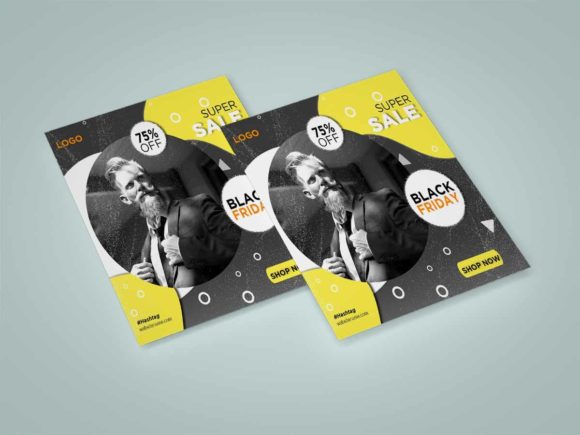
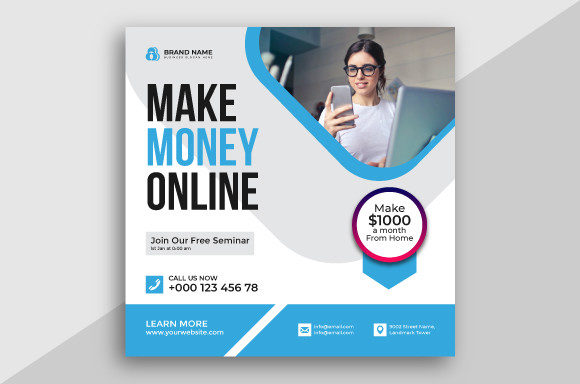
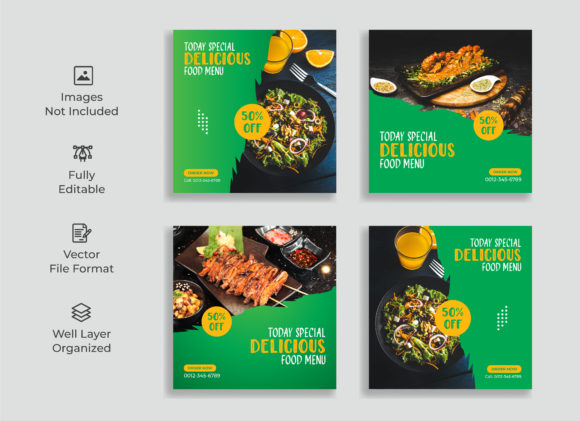
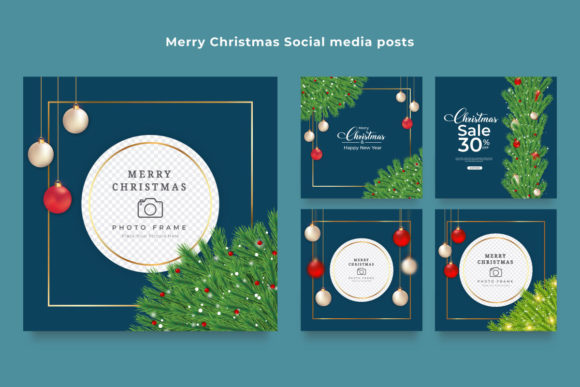
Scrolling through a feed today feels like running an obstacle course for your eyes. Between pet videos, political rants, and endless lifestyle updates, stopping the thumb is harder than ever. This is where a Creative Social Media Ad Banner becomes more than just a pretty picture; it becomes your primary tool for communication. But not all banners are created equal. The difference between an ad that gets ignored and one that drives clicks often comes down to the foundation it's built on: vector graphics.
When we talk about designs built in software like Adobe Illustrator, we aren't just talking about file formats. We are talking about flexibility, clarity, and professionalism. A banner based on vector technology ensures that whether your audience sees your ad on a massive 4K desktop monitor or a cracked smartphone screen in bright sunlight, the lines remain crisp, the text remains readable, and the brand looks trustworthy.
The Real-World Difference Between Pixel and Vector
Imagine you are a small business owner launching a new line of handmade soaps. You have a great photo of the product, but when you try to overlay your logo and a "Buy Now" button, things get messy. If your design relies solely on raster images (pixels), enlarging elements to fit different platform requirements—like moving from an Instagram Story to a Facebook Header—often results in blurry, jagged edges. This subtle loss of quality subconsciously signals to the viewer that the business might be amateurish.
In contrast, a Creative Social Media Ad Banner designed using vector paths in Adobe Illustrator scales infinitely without losing quality. This technical advantage translates directly to real-world outcomes. For a freelancer pitching services on LinkedIn, a sharp, clean banner suggests attention to detail. For an educator promoting a webinar, clear typography ensures the date and time are legible instantly. The inclusion of high-resolution PNGs derived from these vector sources means you get the best of both worlds: the scalability of vectors and the universal compatibility of standard image files.
Scenario 1: The Entrepreneur Launching a Product
Consider Sarah, who runs a boutique coffee roastery. She needs to announce a limited-edition blend across Instagram, Facebook, and her website. She downloads a template package that includes AI (Adobe Illustrator) and EPS files. Because the core design is vector-based, she can easily swap out the background color to match her seasonal branding without the image degrading. She adjusts the text to say "Summer Roast" instead of "Winter Blend," and the font renders perfectly.
Sarah doesn't need to be a graphic design expert. By having access to the source AI files, she maintains control over her brand identity. When she exports the final version as a high-resolution PNG, the transparency allows the banner to sit seamlessly over various background colors on her website. The result? A cohesive look across all channels that builds brand recognition, rather than a disjointed series of posts that look like they were made by different people.
Scenario 2: The Digital Marketer Managing Multiple Clients
For agencies and marketers, time is the most scarce resource. A marketer named David manages ads for three different tech startups. Each client has a unique color palette and tone. Using a Creative Social Media Ad Banner system built on vectors allows David to duplicate a master file and rapidly iterate. He can change the entire mood of an ad by adjusting vector shapes and gradients within minutes.
Furthermore, clients often request changes at the last minute. "Can we make the headline bigger?" or "Can we move the logo to the left?" With a layered AI or EPS file, these requests take seconds to fulfill. If David were working with a flattened JPG, he would have to recreate the entire element from scratch. The efficiency gained here isn't just about saving time; it's about agility. In the fast-paced world of social media trends, the ability to pivot your creative assets quickly can mean the difference between riding a trend wave and missing it entirely.
Why File Formats Matter More Than You Think
You might wonder why a package would include JPG, AI, EPS, and PNG versions. It comes down to versatility in deployment.
- JPG files are universally accepted and load quickly, making them ideal for initial drafts or platforms with strict file size limits.
- High-Resolution PNGs offer transparency, which is crucial when you need your banner to float over a colored background or a complex website layout without a white box around it.
- AI and EPS CC versions are the powerhouses. These are the editable source files. They allow you to future-proof your marketing. Next year, when your brand colors change, you don't need to buy a new banner; you just open the old one and update the hex codes.
Having access to these vector-based source files empowers non-designers to maintain professional standards. It removes the dependency on hiring a designer for every minor tweak, giving small business owners and creators autonomy over their visual presence.
Scenario 3: The Educator and Content Creator
Educators and course creators often need to promote webinars, eBooks, or workshops. Their audience values clarity and authority. A cluttered or pixelated ad banner can undermine the perceived value of the educational content. By utilizing a clean, vector-based Creative Social Media Ad Banner, an instructor can ensure that charts, icons, and text remain sharp.
For instance, if an educator is promoting a coding bootcamp, they might use geometric vector shapes to convey a sense of structure and logic. Because these shapes are mathematical paths rather than grids of pixels, they render perfectly on Retina displays and high-DPI mobile screens, which are common among tech-savvy audiences. This attention to display quality reinforces the message that the course itself is high-quality and modern.
What to Consider Before You Download or Design
Before you commit to a specific banner style or download a template pack, think about your specific ecosystem. Where will this live? If your primary channel is TikTok or Instagram Reels, you need vertical compositions that utilize the full screen height. If you are focusing on LinkedIn or Twitter, horizontal or square formats may perform better. A good vector-based package usually offers flexibility, but you must ensure the aspect ratios align with your strategy.
Also, consider your editing comfort level. While AI and EPS files are powerful, they require Adobe Illustrator to edit. If you are not familiar with this software, ensure the package also provides well-organized layers or consider if the included high-res PNGs meet your immediate needs. However, investing a little time in learning the basics of manipulating vector files can pay dividends for years. It allows you to create an entire library of consistent marketing materials from a single set of assets.
Finally, think about longevity. Trends in social media design shift rapidly—what's popular today might look dated in six months. Vector designs tend to age better because they rely on fundamental principles of composition and typography rather than heavy textures or fleeting effects. A clean, vector-based approach ensures your Creative Social Media Ad Banner remains effective even as algorithms and aesthetics evolve.
Making the Choice That Scales With You
In the end, the goal of any ad banner is to stop the scroll and start a conversation. Whether you are a hobbyist selling crafts, a publisher launching a book, or a corporation rolling out a new service, the medium matters. Choosing a solution grounded in vector technology provides the reliability and adaptability needed in a fragmented digital landscape. It allows you to focus less on fighting with blurry pixels and more on crafting the message that resonates with your audience. When your visuals are sharp, your brand feels sharper too.