Educational Social Media Banner Design Guide
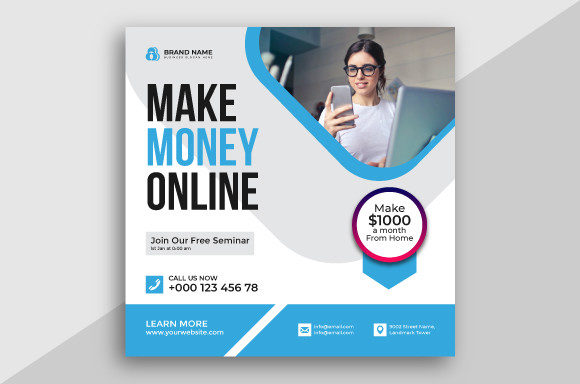
In the fast-paced world of digital communication, visual clarity is often the difference between a message being seen or scrolled past. An Educational Social Media Banner serves as a critical touchpoint for institutions, independent tutors, and knowledge-sharing platforms. It is more than just a decorative header; it is a functional asset designed to communicate authority, topic relevance, and brand identity instantly. When these banners are built using professional tools like Adobe Illustrator, they offer a level of precision and scalability that standard image editors simply cannot match. The availability of high-resolution files, including JPG, AI, EPS, and PNG formats, ensures that the design remains crisp whether it is viewed on a smartphone screen or a large desktop monitor.
The value of a vector-based banner lies in its flexibility. Unlike raster images that can become pixelated when resized, vector graphics use mathematical paths to define shapes. This means an Educational Social Media Banner created in Adobe Illustrator can be adapted for a LinkedIn company page, a YouTube channel art, or a Twitter header without losing quality. For anyone managing an online presence, understanding the distinction between these file types is essential. The inclusion of AI and EPS CC versions allows for deep customization, while the ready-to-use JPG and High-Resolution PNG files provide immediate utility for those who need to launch a campaign quickly.
Why Visual Identity Matters Across Different Roles
Different people approach the need for educational branding with vastly different priorities. What matters most to a university marketing director may differ significantly from what a freelance tutor needs. However, the core requirement remains the same: establishing trust through professional presentation.
For educators and academic institutions, the primary goal is often credibility. A poorly designed banner can inadvertently suggest a lack of attention to detail, which might deter prospective students or partners. These users typically prioritize the "learning value" and "presentation" aspects of the design. They need visuals that clearly articulate their field of study—whether it is science, arts, or business—without appearing cluttered. The ability to edit the source AI file is crucial here, as institutional branding guidelines often require specific color codes and font adjustments that pre-made templates might not perfectly align with initially.
On the other hand, freelancers and independent creators often focus on speed and cost-effectiveness. A hobbyist turning their passion into a side hustle may not have the budget to hire a graphic designer. For them, accessing a package that includes both editable vector files and ready-made images is a game-changer. They can use the PNG immediately to secure their social media real estate while taking time to learn how to tweak the vector elements in Illustrator to better match their evolving personal brand. The "ease of use" provided by having multiple file formats reduces the technical barrier to entry.
Practical Applications for Various Users
Understanding how to leverage these design assets requires looking at specific use cases. Here is how different groups might evaluate and utilize an Educational Social Media Banner:
- Small Business Owners: If you run a training center or a coaching practice, your banner acts as a digital storefront. You likely prioritize "commercial value" and "reliability." You need a design that looks consistent across all platforms to reinforce brand recognition. The EPS CC version allows your external marketing team to integrate the banner into larger print materials, such as brochures or event backdrops, ensuring a unified look.
- Bloggers and Publishers: Content creators focus heavily on "creativity" and "flexibility." They often change their content themes seasonally or based on current trends. Having the source AI file means they can swap out icons, change text headlines, or adjust color schemes to match a new blog series without starting from scratch.
- Marketers and Agencies: Professionals managing multiple client accounts value "efficiency." The ability to duplicate the vector structure and simply swap logos and text for different educational clients saves hours of work. High-resolution outputs ensure that ads generated from these banners meet the strict quality requirements of paid social platforms.
- Students and Hobbyists: For those building a portfolio or promoting a student club, the priority is often "long-term usefulness." A well-structured vector file serves as a learning tool. By examining how layers are organized in the Adobe Illustrator file, beginners can improve their own design skills while simultaneously getting a professional result for their project.
Evaluating Quality and File Formats
When selecting a design resource, the technical specifications are just as important as the aesthetic appeal. A true professional-grade Educational Social Media Banner package should offer a comprehensive suite of files. The JPG files are universally compatible, making them ideal for quick uploads to any social network that does not support transparency. However, for overlays or integrating the banner into a website with a non-white background, the High-Resolution PNG is indispensable due to its support for transparent backgrounds.
The real power, however, resides in the AI Illustrator CC and EPS CC files. These vector formats ensure that the design is resolution-independent. If a school decides to print their banner on a large vinyl display for a campus event, the vector file will scale up infinitely without blurring. This "future-proofing" is a key consideration for anyone investing in digital assets. It transforms a simple social media image into a versatile brand asset that can grow with the organization.
Furthermore, working with vector software allows for precise control over typography and iconography. In educational contexts, readability is paramount. Vector editing ensures that text remains sharp and legible at any size, preventing the fuzzy edges that often plague resized raster images. This attention to detail signals to the audience that the content behind the banner is equally well-crafted and trustworthy.
Making the Right Choice for Your Goals
Deciding whether this type of design resource matches your needs comes down to assessing your current workflow and future ambitions. If you are a beginner looking to establish a presence, the inclusion of ready-to-use JPGs and PNGs offers immediate gratification and professional polish. You do not need to master Adobe Illustrator overnight to benefit from the design.
Conversely, if you are a seasoned professional or a business owner planning for long-term growth, the editable vector files provide the necessary room for adaptation. They allow you to maintain consistency while evolving your message. The investment in a high-quality, vector-based banner pays off through reduced redesign costs and enhanced brand perception over time.
Ultimately, an Educational Social Media Banner is an investment in communication. Whether you are a solo educator trying to stand out in a crowded feed or a large institution managing a complex digital ecosystem, the clarity and professionalism offered by vector-based designs provide a solid foundation. By choosing resources that offer both immediate usability and long-term flexibility, you ensure that your visual identity supports your educational mission effectively, regardless of how your needs change in the future.